







Introduction: Your Business Does Not Need More Hours — It Needs Smarter Systems
Every business owner knows the feeling.
The day starts with a long list of tasks:
- Replying to customer emails
- Preparing documents
- Creating marketing content
- Researching competitors
- Updating spreadsheets
- Managing meetings
- Following up with leads
By the end of the day, many entrepreneurs realize something frustrating:
They were busy all day, but the most important strategic work was still waiting.
The problem is not always a lack of effort.
The problem is that many businesses still spend human time on tasks that can now be supported by artificial intelligence.
AI has moved far beyond simple experiments and entertainment. Today, businesses are using AI tools to automate repetitive work, improve decision-making, and help teams focus on higher-value activities.
According to research from McKinsey Global Institute, generative AI has the potential to create significant productivity improvements across industries by assisting knowledge workers with everyday tasks.
But there is one important lesson:
The goal is not to collect dozens of AI tools.
The goal is to choose the right tools that solve real business problems.
A small business does not need more software subscriptions.
It needs systems that save time.
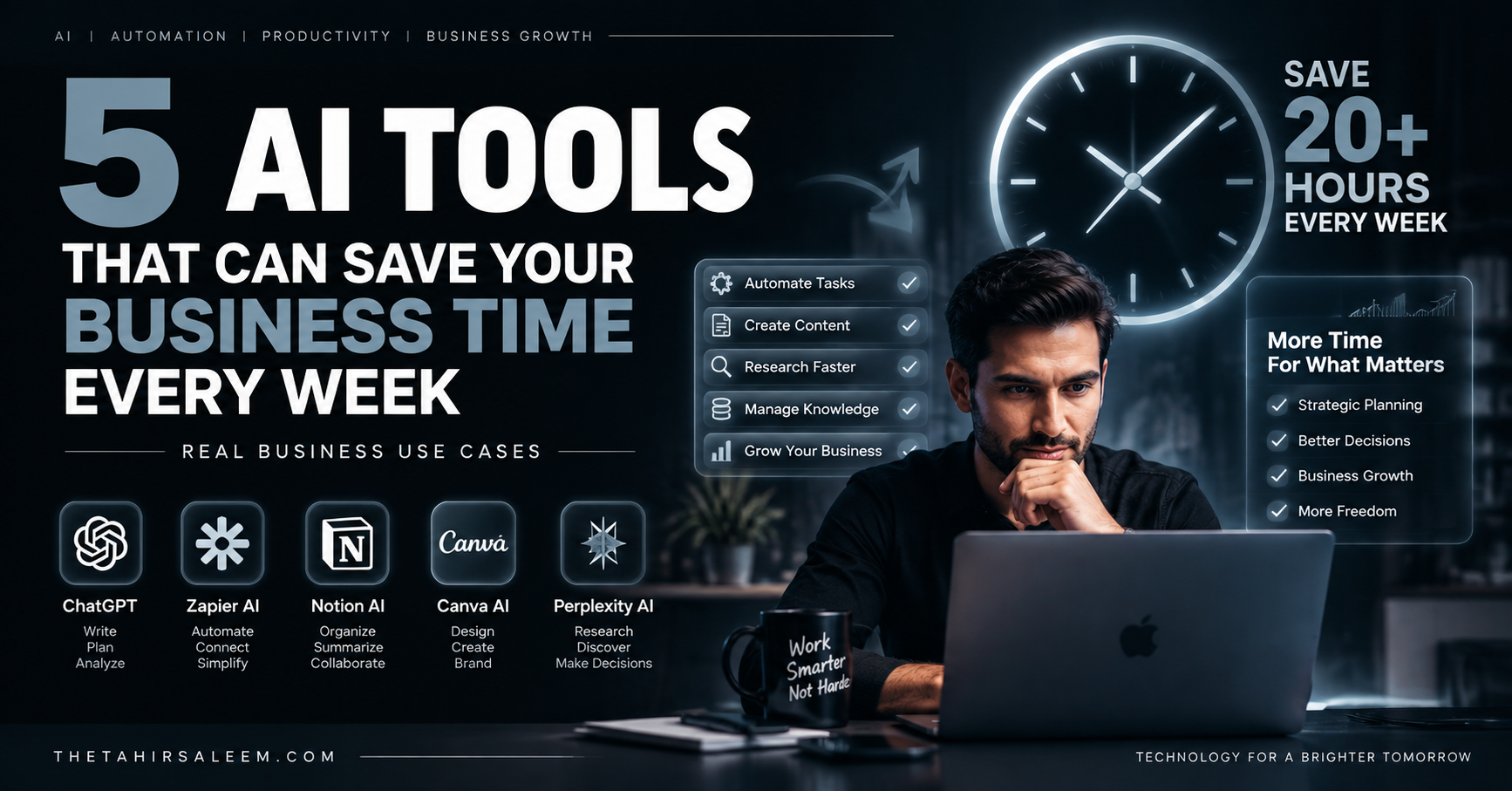
In this guide, we will explore five AI tools that can help businesses reduce repetitive work, improve productivity, and create more efficient workflows.
AI Tools vs AI Workflows: Understanding The Difference
Before choosing AI tools, businesses need to understand one important difference.
Many companies use AI only as a basic assistant.
For example:
“Write me an email.”
“Create a social media caption.”
“Summarize this document.”
These tasks are useful, but they only scratch the surface.
The bigger opportunity comes when AI becomes part of a workflow.
A workflow connects different tasks together.
For example:
Traditional process:
Customer submits inquiry → Employee reads email → Copies information → Updates CRM → Sends response
AI-powered process:
Customer submits inquiry → AI analyzes request → Updates CRM → Creates response draft → Notifies sales team
The difference is time.
Businesses save hours not because AI writes faster, but because AI removes unnecessary manual steps.
Now let’s look at the tools that can create these improvements.
1. ChatGPT — Your AI Business Assistant
ChatGPT by OpenAI has become one of the most widely used AI assistants because it can support many different business activities.
For many businesses, the biggest benefit is not one specific feature.
It is flexibility.
ChatGPT can help with:
- Writing emails
- Creating proposals
- Summarizing reports
- Generating marketing ideas
- Drafting documents
- Analyzing information
- Creating customer response templates
Real Business Use Cases
Sales Teams
A salesperson can use AI to:
- Prepare personalized outreach messages
- Research customer backgrounds
- Create meeting preparation notes
Instead of spending 30 minutes preparing every message, AI can create a strong first draft within seconds.
Marketing Teams
Businesses can use ChatGPT for:
- Blog outlines
- Social media planning
- Campaign ideas
- Audience research
A marketer can spend less time starting from a blank page and more time improving strategy.
Business Operations
Owners can use AI to create:
- Standard operating procedures
- Internal documentation
- Training materials
This is especially useful for small businesses where one person often manages multiple responsibilities.
Important Consideration
ChatGPT should not replace human judgment.
The best results come when people use AI as a productivity partner.
AI creates speed.
Humans provide direction.
Tool #2: Zapier AI — Your Business Automation Engine
One of the biggest time problems in business is not usually difficult work.
It is repetitive work.
The same tasks happen again and again:
- A customer fills out a form
- Someone copies information into a spreadsheet
- Another person sends a confirmation email
- A manager gets notified manually
- Data is updated in multiple systems
Each individual task may only take a few minutes.
But when repeated hundreds of times every month, these small tasks become a major productivity drain.
This is where automation platforms like Zapier become valuable.
Zapier connects different business applications and allows companies to create automated workflows. Its AI features can help build workflows, troubleshoot automation issues, and create AI-powered processes across connected apps.
Instead of employees constantly moving information between tools, automation handles the repetitive steps.
Real Business Use Cases For Zapier AI
Lead Management Automation
Imagine a potential customer submits a contact form on your website.
Without automation:
- Employee receives notification
- Copies customer details
- Updates CRM
- Sends follow-up email
With automation:
- New lead is detected
- Customer information is saved automatically
- Sales team receives notification
- Follow-up email is prepared
This reduces response time and prevents leads from being forgotten.
Customer Support Workflows
Businesses receive hundreds of customer questions every month.
AI-powered workflows can help:
- Categorize customer requests
- Route messages to the right team
- Create support tickets
- Generate response drafts
The customer gets faster service, while employees spend less time handling repetitive requests.
Internal Business Operations
Small businesses often lose time managing internal processes.
Examples:
- Creating reports
- Updating project dashboards
- Sending reminders
- Organizing information
Automation allows teams to spend more time on decision-making instead of administration.
The key idea:
Do not automate people. Automate the repetitive tasks that slow people down.
Tool #3: Notion AI — Your AI Knowledge Manager
Every growing business has an invisible problem:
Information gets lost.
Important decisions are buried inside old documents.
Meeting notes disappear.
Employees waste time searching for answers.
A company may have excellent knowledge, but if nobody can find it quickly, that knowledge has limited value.
This is where Notion AI becomes useful.
Notion AI works inside the Notion workspace and can help teams create documents, summarize information, search knowledge, generate reports, and manage repetitive tasks.
Think of it as a digital business memory system.
Real Business Use Cases For Notion AI
Meeting Summaries
Meetings often create valuable information, but employees spend additional time writing notes afterward.
AI can help:
- Summarize discussions
- Extract important decisions
- Create action items
- Organize follow-up tasks
This prevents important details from being forgotten.
Creating Standard Operating Procedures (SOPs)
As businesses grow, processes become complicated.
New employees need answers:
- How do we handle customer complaints?
- How do we onboard clients?
- How do we prepare reports?
Instead of repeatedly explaining the same processes, businesses can create an AI-powered knowledge base.
Faster Team Collaboration
A good knowledge system reduces dependency on individual employees.
Instead of asking:
“Who knows how this works?”
Teams can search:
“What is our process for this?”
This saves time and improves consistency.
Tool #4: Canva AI — Your AI Design Assistant
Visual content has become essential for modern businesses.
Companies need:
- Social media graphics
- Advertisements
- Presentations
- Product images
- Marketing materials
But hiring designers for every small design task is not realistic for many businesses.
This is where AI design tools help.
Canva AI allows users to create and refine designs through AI assistance, helping businesses move from ideas to finished visuals faster.
Real Business Use Cases For Canva AI
Social Media Content Creation
A business can use AI to help create:
- Instagram posts
- LinkedIn graphics
- Promotional banners
- Event announcements
Instead of starting from a blank page, teams can quickly create professional designs.
Marketing Presentations
Business owners often need:
- Sales presentations
- Investor decks
- Company profiles
- Proposal documents
AI design assistance can speed up the first draft.
Human creativity is still important, but AI reduces the time needed to produce professional-looking materials.
Brand Consistency
Growing businesses need consistent branding.
AI design systems can help maintain:
- Colors
- Fonts
- Visual style
- Templates
This allows small teams to produce more content without losing quality.
Tool #5: Perplexity AI — Your Business Research Assistant
Business decisions depend on information.
Before launching a product, entering a market, or creating a campaign, companies need answers:
- Who are the competitors?
- What are customer trends?
- What is changing in the industry?
- What opportunities exist?
Research can consume many hours.
This is where Perplexity AI helps businesses gather information faster.
Perplexity provides AI-powered search and research capabilities, including connected workflows that can combine information from different sources and business tools.
Real Business Use Cases For Perplexity AI
Competitor Research
Instead of manually opening dozens of websites, businesses can use AI research workflows to analyze:
- Competitor positioning
- Pricing approaches
- Marketing strategies
- Industry trends
Market Research
Before launching a product, businesses can research:
- Customer needs
- Market opportunities
- Industry changes
This helps founders make better decisions.
Faster Decision Making
The advantage is not only finding information.
The real advantage is reducing the time between:
Question → Research → Decision
In competitive markets, speed matters.
How To Choose The Right AI Tools For Your Business
The biggest mistake businesses make is buying too many AI subscriptions.
More tools do not automatically create more productivity.
The right approach is simple:
Step 1: Find Your Biggest Time-Wasting Tasks
Look at your daily operations.
Ask:
- What tasks happen repeatedly?
- What work requires copying information?
- What processes delay customers?
- What tasks do employees dislike?
Step 2: Start With One Workflow
Do not try to automate everything immediately.
Choose one problem.
Examples:
- Customer inquiries
- Marketing content
- Research
- Reporting
Improve that workflow first.
Step 3: Measure The Results
Track:
- Hours saved
- Faster response times
- Reduced manual work
- Improved customer experience
The best AI tool is not the one with the most features.
It is the one that creates measurable business value.
Common Mistakes Businesses Make When Using AI Tools
AI tools can create impressive productivity improvements, but simply buying AI subscriptions does not automatically transform a business.
Many companies make the same mistake:
They focus on the technology instead of the problem.
A business owner may think:
“If I buy five AI tools, my business will become more efficient.”
But the reality is different.
The companies that achieve real results usually start with a business challenge and then choose the right AI solution.
Research on AI adoption shows that organizations often struggle not because the technology is unavailable, but because they lack the right processes, skills, and implementation strategy.
Here are some common mistakes businesses should avoid.
Mistake 1: Using AI Without A Clear Goal
One of the biggest problems is experimenting with AI without knowing what outcome is expected.
For example:
A company subscribes to multiple AI platforms but nobody knows:
- Which tasks should be automated
- Who should use the tools
- How success will be measured
The result?
More software.
More complexity.
Little improvement.
Before adopting any AI tool, businesses should ask:
- What problem are we solving?
- How much time does this task consume?
- Can AI improve speed, quality, or cost?
A clear goal creates better results.
Mistake 2: Automating The Wrong Processes
AI cannot fix a broken business process.
If a company has unclear workflows, poor communication, or outdated systems, adding AI may only make the confusion faster.
For example:
A business has a complicated customer onboarding process.
Instead of improving the process, they add automation.
The result:
A faster complicated process.
Before automation, businesses should map:
- Current workflow
- Repetitive steps
- Manual bottlenecks
- Human decisions that still matter
The best AI implementations usually improve existing processes instead of simply adding another layer of technology.
Mistake 3: Expecting AI To Work Without Human Review
AI tools are powerful, but they are not perfect.
They can:
- Misinterpret information
- Produce inaccurate answers
- Miss business context
- Make incorrect assumptions
For important business activities, human oversight remains essential.
Examples:
A marketing team should review AI-generated campaigns.
A financial team should verify AI-generated analysis.
A customer service team should monitor AI responses.
The strongest businesses use a combination:
AI speed + human judgment.
Mistake 4: Choosing Too Many Tools
The AI market is growing rapidly.
New tools appear every week.
This creates a common problem:
Tool overload.
Employees now have:
- Multiple subscriptions
- Different dashboards
- Separate workflows
- Confusing processes
A smaller number of well-integrated AI tools is usually better than a large collection of disconnected platforms.
The goal is not:
“How many AI tools do we use?”
The goal is:
“How much business value do these tools create?”
How To Build An AI-Powered Workflow Step By Step
A practical AI implementation strategy looks like this:
Step 1: Audit Your Business Tasks
Create a list of repetitive activities.
Examples:
- Email responses
- Content creation
- Customer questions
- Research
- Reporting
- Scheduling
Identify where employees spend the most time.
Step 2: Start With One High-Impact Area
Do not automate everything at once.
Choose one workflow.
Examples:
Marketing:
AI content planning + design automation
Sales:
Lead research + follow-up automation
Operations:
Document management + reporting
A successful small project creates confidence for larger improvements.
Step 3: Train Your Team
AI success depends on people.
Employees need to understand:
- How to write better prompts
- How to check AI output
- How to improve workflows
- When human decisions are required
AI literacy is becoming an important workplace skill as organizations redesign how work gets done.
Frequently Asked Questions (FAQ)
What Are The Best AI Tools For Small Businesses?
The best AI tools depend on the business needs.
For general productivity:
- ChatGPT for writing and analysis
- Zapier AI for automation
- Notion AI for knowledge management
- Canva AI for design
- Perplexity AI for research
The right choice depends on which tasks consume the most time.
How Can AI Tools Save Business Time?
AI tools save time by reducing repetitive manual work.
Examples include:
- Creating content drafts
- Summarizing information
- Automating workflows
- Organizing documents
- Researching information
- Generating reports
The biggest time savings usually come from combining AI tools with automated workflows.
Can AI Tools Replace Employees?
AI tools are more likely to change jobs than completely replace all employees.
They are especially effective at repetitive information-based tasks.
Human skills remain important for:
- Strategy
- Creativity
- Leadership
- Customer relationships
- Decision-making
The future workplace will likely involve humans working alongside AI systems.
Which AI Tool Is Best For Business Automation?
For automation, tools like Zapier AI are useful because they connect different business applications and reduce manual workflow steps.
However, the best automation tool depends on:
- Existing software
- Business processes
- Team requirements
Are AI Tools Worth Paying For?
AI tools can be worth the investment when they solve real business problems.
A good AI investment should create measurable benefits:
- Hours saved
- Faster customer response
- Increased output
- Reduced repetitive work
Businesses should evaluate value instead of simply collecting tools.
Conclusion: The Future Belongs To Businesses That Work Smarter
The biggest advantage of AI is not that it can create content, answer questions, or generate images.
The real advantage is time.
Every business has limited resources.
Every employee has limited hours.
AI tools help companies remove repetitive work so people can focus on activities that require creativity, relationships, and strategic thinking.
The five tools covered in this article are not magic solutions.
They are productivity systems.
ChatGPT can support daily business tasks.
Zapier AI can automate workflows.
Notion AI can organize knowledge.
Canva AI can accelerate design.
Perplexity AI can improve research.
But the companies that benefit the most will not be the ones using the most AI tools.
They will be the ones using AI with the clearest strategy.
Start small.
Choose one problem.
Build one better workflow.
Measure the results.
Then expand.
The future of business is not about replacing humans with machines.
It is about creating smarter teams where humans and AI work together to achieve more.